Free to play in your browser — no install, no sign-up.
Arrow GalleryAn arrow escape puzzle that reveals pixel art
Tap the arrows out, reveal the pixel art.
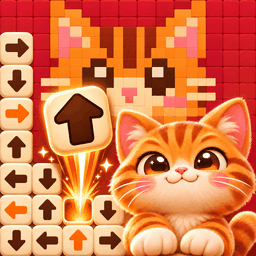
Arrow Gallery is a relaxing arrow puzzle where every cleared board turns into a pixel art picture, framed in wood and hung on your own gallery wall.

Game overview
What is Arrow Gallery?
Tap an arrow tile and it flies off in the direction it points. If the path is clear it slides away; if another tile is in the way, you lose a heart. Each board is a small logic puzzle: which arrow can leave first, and which one is blocking the others? Find the order, get every arrow out, and the hidden picture appears.
At a glance
- Tap a tile to send it flying in the direction of its arrow.
- Only tiles with a clear path can escape, so look before you tap.
- You have three hearts for each picture.
- Stuck? A hint finds a tile that can move right now and sends it out for you.
How Arrow Gallery works
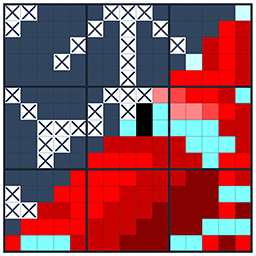
Every Arrow Gallery board is a block of wooden tiles, each with an arrow pointing up, down, left or right. Tap a tile and it flies off the way its arrow points. If nothing stands in the way, it slides off the board. As the tiles leave, dots of color appear underneath, and when the last tile is gone a pixel art picture is finished.
The puzzle is the order. A tile can only leave once the tiles in front of it are gone, so you look for an arrow with a clear path, send it away and see which tiles that frees up. Every one of the 355 boards can be cleared this way, and there is no timer.
The rules
Tap a tile to send it flying in the direction of its arrow.
A tile can escape only when every square in front of it, all the way to the edge, is empty.
If another tile is in the way, the tile bumps and comes back, the blocking tile is marked in red, and you lose one heart.
You have three hearts for each picture. Clear every tile to finish it.
If all three hearts are gone, you can watch a short ad once per board to refill your hearts and keep going, start the board again, or go back home. Every move is saved, so you can close the page and continue later.

Controls
send a tile on its way.
pinch with two fingers, or use the mouse wheel on a computer, up to five times closer.
drag the board while zoomed in, and tap the reset button to see the whole board again.
tap the light bulb button below the board.
The first board shows the basics in three short steps, and larger boards remind you once that you can zoom. On a wide window the game switches to a wide layout with the board in the middle and your hearts and hints on the sides.

Hints and coins
A hint finds a tile that can leave right now, flashes it three times and sends it off for you. You start with 3 hints and 100 coins. When you run out, you can trade 30 coins for a hint or watch a short ad, and the shop sells hints in packs of 5 for 130 coins and 10 for 240.
Each finished picture earns 10 coins, plus 10 more if you did not lose a heart. On the result screen you can also watch an ad to double the coins.
355 pictures in 9 exhibition halls
The pictures are sorted into nine themed halls, and all of them are open from the start. Boards begin small, around 10x10, and later ones mix sizes, from compact pictures up to boards 37 squares tall or with as many as 479 arrows.
63 pictures
29
54
29
21
28
35
73
23
Filling a hall pays coin rewards along the way: 20 coins at a quarter, 40 at half, 60 at three quarters and 150 when the hall is complete.

Your own gallery
Every finished picture is framed and hung in your gallery. The All tab shows your pictures with the newest first, and you can open any of them to look at it up close. The home screen hangs your latest pictures on the wall around the next empty frame.


Tips for new players
A tile on the outside that points outward always has a clear path. Clearing them opens up the tiles behind.
A tile needs every square up to the edge to be empty, not just the next one.
When a tile leaves, look at the tiles that were pointing at it. Their path may be clear now.
On large boards a closer look makes it easier to read the arrows and avoid a wrong tap.
Finishing a picture without losing a heart doubles the coins it earns.
Why players come back
Features
- 355 pixel art pictures across 9 themed exhibition halls
- Every finished picture is framed and collected in your gallery, with coin rewards as each hall fills up
- Every one of the 355 boards can be cleared, from 10x10 pictures to boards with hundreds of arrows
- No timer, zoom for big boards, auto-save and 14 languages - free in your browser
Common questions
Frequently asked questions
Is Arrow Gallery free?
Yes. You can play it free in your browser, and there is nothing to buy here. After some boards a short ad may play, and you can choose to watch an ad to continue, get a hint or double your coins.
Can every board be solved?
Yes. All 355 boards were checked and each one can be cleared completely. If you are stuck, a hint always finds a tile that can move.
Is there a time limit?
No. Take as long as you like. Only hearts limit how many wrong taps you can make.
Is my progress saved?
Yes. Your gallery, coins and the board you are playing are saved automatically in this browser. Clearing the site data for this page starts over.
Which languages are supported?
Arrow Gallery is available in 14 languages, including English, Korean and Japanese.