Free to play in your browser — no install, no sign-up.
Animal HopA two-button stair climbing jump game
Two buttons, one hop at a time - climb the stairs with 3D animals.
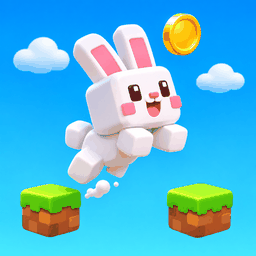
Animal Hop is a two-button online stairs game with cute 3D animals. A path of floating steps climbs into the sky, and you only see a few of them ahead: the next step is solid, the one after it fades and the third is barely there. Tap Hop to jump forward in the direction you are facing, or Turn to spin around and hop the other way. Jump the wrong way and you fall - and the step you just left crumbles behind you.

Game overview
What is Animal Hop?
After the first ten steps the path starts to bend, swinging to the side and even back toward the camera. Every good hop scores a point and refills a little of a time gauge that keeps draining, and it gets less forgiving the higher you go. Go for a high score in the Challenge run that keeps going until you fall, or warm up on five practice courses with no time limit. Coins on every third step unlock 20 animals and 20 maps, starting with a free chicken and meadow, and you can drag to spin your animal around on the home screen.
At a glance
- Hop jumps one step forward in the direction you are facing.
- Turn spins your animal around and hops one step the other way.
- Pick the wrong one and you fall off the path. If the time gauge runs out, the run ends too.
- Keyboard: Space, Up, Right or D to hop, Left or A to turn, Esc or P to pause.
How Animal Hop works
Animal Hop is a stair climbing game with two buttons and a cute 3D animal. A path of floating steps climbs into the sky, and each step is one hop higher than the last. Hop jumps one step forward in the direction your animal is facing. Turn spins it around and jumps one step the other way. Pick the right one and you climb, pick the wrong one and your animal falls off the path.
You only see a few steps ahead. The next step is solid, the one after it is faded and the third is barely there, so you read the path as you climb. The step you leave breaks into nine pieces and tumbles away, so there is no going back. The two buttons are easy to tell apart in any language: Turn is blue on the left and Hop is orange on the right.
The rules
Hop moves one step forward in the direction you are facing.
Turn switches to the other direction and moves one step that way.
If the next step is not where you jump, your animal falls and the run is over.
In Challenge mode a time gauge keeps draining. Every good hop scores a point and refills part of it. If it runs out, the run is over too.
The gauge starts at 4 seconds. As your score goes up, a full gauge gets shorter, down to 2 seconds, and each hop refills a little less, so the higher you climb the faster you need to decide. Time does not run before your first hop or while the game is paused, and the game pauses by itself when you switch away from the window.
For the first ten steps the path climbs away from you. After that it starts to bend: it swings to the side and sometimes comes back toward the camera, still rising with every hop.

Controls
tap the orange button on the right.
tap the blue button on the left.
Space, Up arrow, Right arrow or D to hop, Left arrow or A to turn, Esc or P to pause. Space also starts a run from the home screen.
drag across the screen to spin your animal around and look at it from every side.
You can press the next button while your animal is still in the air, and the game remembers one press, so a steady rhythm works well. On a wide window the game switches to a wide layout with the path in the middle and both buttons below it.

Challenge mode and 5 practice courses
Challenge mode, the green button on the home screen, never runs out of steps. The path keeps going until you fall or the gauge runs out, and your best score is kept on the home screen. Every 10 steps the game cheers you on.
The practice courses have no time limit and a set number of steps, so you can learn the controls at your own pace. On these courses the game also tells you when the path bends and it is time to turn.
12 steps
Course 2, Change Direction: 20 steps
Course 3, Through the Clouds: 28 steps
36 steps
48 steps


Coins, 20 animals and 20 maps
Coins sit on steps 3, 6 and 9, then the gap grows by one step after every three coins, up to one every 10 steps. Each run starts again from step 3, in Challenge mode and the practice courses alike. Coins unlock new animals and maps. The chicken and the green meadow are free from the start, animals cost 20 to 100 coins and maps 15 to 55.
The 20 animals in this pet jump game include a rabbit, cat, dog, fox, panda, pig, penguin, tiger, lion, elephant, koala and polar bear. The 20 maps each change the steps, the sky color and the scenery around the path, from a spring flower garden and cherry blossom lane to snowfields, a volcano, the moon, a candy land and a crystal world.


Tips for new players
If the next step lies the way you are facing, hop. If not, turn.
The gauge drains while you think, and every good hop refills it. A steady rhythm keeps it full.
You can tap the next button while you are still in the air, which makes long climbs smoother.
There is no timer there, and the game tells you when to turn.
Coins come quickly at first: 100 steps earn 18 coins.
Why players come back
Features
- 20 cute 3D animals and 20 maps to unlock with coins
- A Challenge run for high scores plus five practice courses with no timer
- Simple two-button controls with touch and keyboard
- Portrait and landscape screens - English, Korean and Japanese, free in your browser
Common questions
Frequently asked questions
Is Animal Hop free?
Yes. You can play it free in your browser with no install, and there is nothing to buy. Coins are earned by playing. A short ad sometimes appears when you leave the result screen, and you can choose to watch an ad to double the coins from a run, once per run.
Is there a time limit?
Challenge mode has a time gauge that each good hop refills. The practice courses have no time limit.
Does the climb ever end?
Not in Challenge mode. New steps keep appearing until you fall or the gauge runs out.
Can I play on a computer?
Yes. Use Space, the arrow keys or A and D, and Esc or P to pause.
Is my progress saved?
Yes. Your best score, coins, animals, maps and finished courses are saved automatically in this browser. Clearing the site data for this page starts over.
Which languages are supported?
English, Korean and Japanese. You can change the language with the globe button at the top right of the home screen (in a narrow portrait window it is at the top right of the help window), and the Korean and Japanese versions of this page open the game in that language. The controls are two colored buttons, so you can play without reading them.